Movie Blast APK

Movie Blast app guide covering features, compatibility, installation, safety, troubleshooting, and helpful tips for Android users.
★★★★★
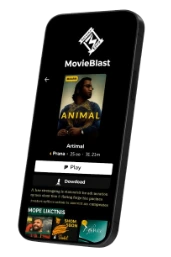
Movie Blast
Movie Blast is a name that users may encounter when searching for movie-related applications and entertainment services. If you are looking for information about the Movie Blast app, its features, compatibility, installation process, or common problems, this guide will help you understand what to check before using it.
At Movie Blast, our goal is to provide clear, practical information about app features, device requirements, installation considerations, and entertainment options. Because different applications may use similar names, it is important to verify the developer and the exact version before downloading or installing any software.
This guide covers the main things users want to know about Movie Blast, including its interface, potential viewing options, APK information, privacy considerations, troubleshooting steps, and frequently asked questions.
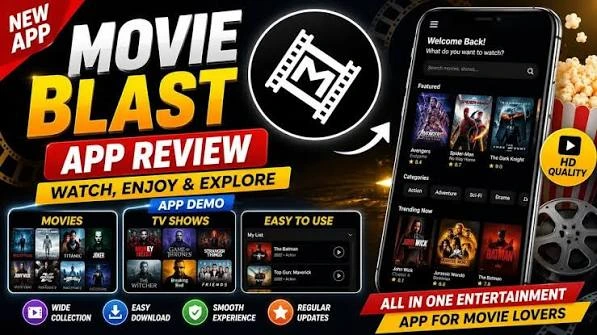
What Is Movie Blast APK?
Movie Blast APK refers to an Android application package associated with an app using the Movie Blast name. An APK is a file format used to distribute and install applications on Android devices.
The term Movie Blast app may be used in searches for movie-related entertainment, content discovery, or streaming applications. However, similarly named apps may come from different developers and may not offer the same services or features.
Before installing an application, check its developer information, version details, permissions, and distribution source. These checks can help you identify the correct application and avoid misleading download pages.
Movie Blast visitors can use this website to learn about app compatibility, installation considerations, common technical issues, and available entertainment alternatives.
Key Features of Movie Blast App
The features available in an application depend on its developer, version, and supported services. The following sections explain the main features people commonly look for when researching a movie-related app. Confirm the capabilities of the specific Movie Blast version before relying on any feature.
User-Friendly Interface and Navigation
An intuitive interface helps users understand how an application works without spending too much time searching through menus. Clear navigation, readable text, and logically organized sections can make browsing more convenient.
When evaluating Movie Blast, look for a straightforward home screen, understandable navigation controls, and clearly labeled sections. A good interface should help users locate relevant options without unnecessary steps.
The overall experience may vary depending on the app version and the Android device being used.
Search Function and Content Discovery
A search function can make it easier to locate a particular title, category, or other available content. When an app supports search, useful features may include title matching, category filters, or recently viewed items.
Users should check whether the version they are considering provides these functions and whether search results accurately reflect the content available through its services.
Streaming Quality and Playback Controls
Video quality affects the viewing experience, but actual playback performance depends on several factors. These include the source of the video, the internet connection, the device’s capabilities, and the application’s supported settings.
If the Movie Blast version you use offers video playback, review its available quality settings and playback controls. Do not assume that HD or Full HD playback is guaranteed simply because a download page advertises it.
For smoother viewing, use a stable internet connection and select a quality setting appropriate for your connection.
Content Categories and Genre Coverage
Movie-related applications may organize their available content into categories to make browsing easier. Depending on the service, categories might include films, television programmes, animation, documentaries, or different genres.
The actual categories available through Movie Blast should be confirmed from a reliable listing or the application itself. Content libraries can change, and the availability of a title may depend on region, licensing, or the service providing it.
Language and Subtitle Support
Language options and subtitles can help viewers understand content in their preferred language. Some entertainment services provide multiple audio tracks, subtitles, or language filters, while others offer a more limited selection.
Before choosing an app for multilingual viewing, check which languages and subtitle options are genuinely supported. Availability may differ between titles and versions.
Favorites, Watchlists and Personalization
Favorites and watchlists are useful features in entertainment applications because they help users organize titles they want to revisit. Personalization options may also allow users to adjust certain interface settings.
These features should not be assumed to exist in every Movie Blast version. If they are important to you, confirm their availability before installing the application.
Offline Viewing and Download Options
Offline viewing allows users to watch eligible content without maintaining an active internet connection during playback. However, this functionality is not available in every entertainment application, and some services restrict downloads to licensed content or supported subscription plans.
Check whether the specific Movie Blast service provides an authorized offline-viewing option. Avoid unfamiliar download links that promise unrestricted access without explaining the source or usage rights of the content.
What Content Is Available on Movie Blast?
The content available through a service is an important consideration when selecting an entertainment app. However, it is essential to distinguish between categories that an app advertises and content that is actually accessible.
Depending on the particular service, users may be interested in the following categories:
- Movies: Film information and viewing options for available titles.
- Web series: Episodic entertainment, where supported.
- Television programmes: Shows available through the service.
- Animation and cartoons: Animated content for different audiences.
- Documentaries: Informational and educational programmes.
- Regional entertainment: Content in different languages, where available.
This list describes common entertainment categories rather than a verified Movie Blast catalogue. Check the application’s current listing and authorized content sources to determine what is actually available.
Movie Blast APK Compatibility and System Requirements
Compatibility determines whether an application can run correctly on a particular device. Before installing Movie Blast, check the requirements published by its developer or authorized distributor.
Android Version and Device Compatibility
Different applications require different Android versions and device capabilities. An app may also behave differently across manufacturers, screen sizes, and hardware configurations.
Before installation, verify:
- The minimum supported Android version.
- Whether your device architecture is supported.
- The available storage space required.
- Any additional hardware or software requirements.
- Whether the application receives updates from a reliable source.
Do not rely on a universal Android-version requirement unless it is confirmed for the exact application version.
Internet Connection Requirements
If an application streams online content, a reliable connection can improve playback stability. Performance also depends on server availability, video quality, and network congestion.
For mobile data users, review video quality settings and data consumption before extended viewing. Public Wi-Fi networks may also introduce privacy risks, so use trusted connections whenever possible.
Movie Blast Safety and Privacy Considerations
Safety is an important part of choosing any Android application. A download page alone cannot prove that an app is secure, and a security badge or a claim such as “100% safe” should not replace independent checks.
Verify the Developer
Confirm the developer’s identity and whether the download source is genuinely associated with that developer. Be cautious when several websites offer different files under the same app name.
Review App Permissions
Permissions should be relevant to the app’s functions. For example, an entertainment app should have a clear reason for requesting access to sensitive device features or personal information.
If a permission appears unnecessary, review the explanation and consider whether you should proceed.
Protect Your Personal Information
Avoid entering sensitive information into an application unless you understand why it is required and how it will be handled. Review the privacy policy where one is available.
Use strong account credentials if an account is required, and do not reuse passwords from other services.
Respect Copyright and Content Rights
The availability of a movie through a website or app does not automatically establish that its distribution is authorized. Prefer licensed streaming services and legitimate sources for viewing or downloading films.
Common Movie Blast Problems and Solutions
If the Movie Blast app does not work as expected, the cause may be related to the device, internet connection, app version, or service availability.
Movie Blast Is Not Installing
If installation fails, check that the application supports your Android version and that sufficient storage is available. Confirm that the installation file came from a trustworthy source.
If the device reports that the file is invalid or incompatible, do not repeatedly install files from unrelated websites. Verify the file and supported requirements first.
Movie Blast Keeps Crashing
Start by closing and reopening the application. Restarting the device may also help with temporary software issues.
If the problem continues, check for an update from the verified developer. You can also review the device’s application settings and clear the cache if that option is available. Clearing app data may remove locally stored settings, so understand the consequences before doing so.
Videos Keep Buffering
Buffering may be caused by a weak internet connection, network congestion, or problems with the service supplying the video.
Try a more stable connection, reduce the playback quality if that option exists, and check whether other online services are working normally. If only one service is affected, the problem may be outside your device.
Content Is Not Loading
Confirm that the service is available and that your connection is working. Check for an official status notice or an application update, if available.
Avoid installing unofficial modified versions as a quick fix. They may introduce additional security risks and may not solve the underlying problem.
Movie Blast Is Not Working After an Update
If the problem began immediately after an update, check the developer’s release notes or support information for known issues. Make sure the installed version is intended for your device.
Do not downgrade to an unknown APK solely because it is advertised as an older working version.
Movie Blast Alternatives
JioCinema
JioCinema is a popular entertainment platform known for its wide range of movies, TV shows, web series, and other video content.
Netflix
Netflix offers a subscription-based entertainment service with a catalogue of films and television programmes that varies by region and plan.
Amazon Prime Video
Prime Video provides films and television content, with availability and purchasing or rental options varying by country and title.
Tubi
Tubi offers an ad-supported streaming catalogue in supported markets. Its availability and content selection depend on the user’s region.
Plex
Plex provides media organization and streaming features, along with access to certain online entertainment offerings. Available functions.
YouTube
YouTube includes licensed movies and other entertainment content, with purchasing, rental, and free viewing options varying by region and title.
Pros and Cons To Movie Blast
Pros
Cons
FAQs
Conclusion
Movie Blast visitors need accurate information about app identity, features, device compatibility, installation, privacy, and troubleshooting. Understanding these details can help users make more informed decisions before installing or using an entertainment application.
our aim is to provide practical guides that answer common questions without relying on unsupported promises. Because applications with similar names may have different developers and capabilities, always verify the exact version and distribution source before proceeding.For the best experience, prioritize trusted software sources, keep your device updated, review app permissions, and choose legitimate entertainment services that meet your viewing needs.